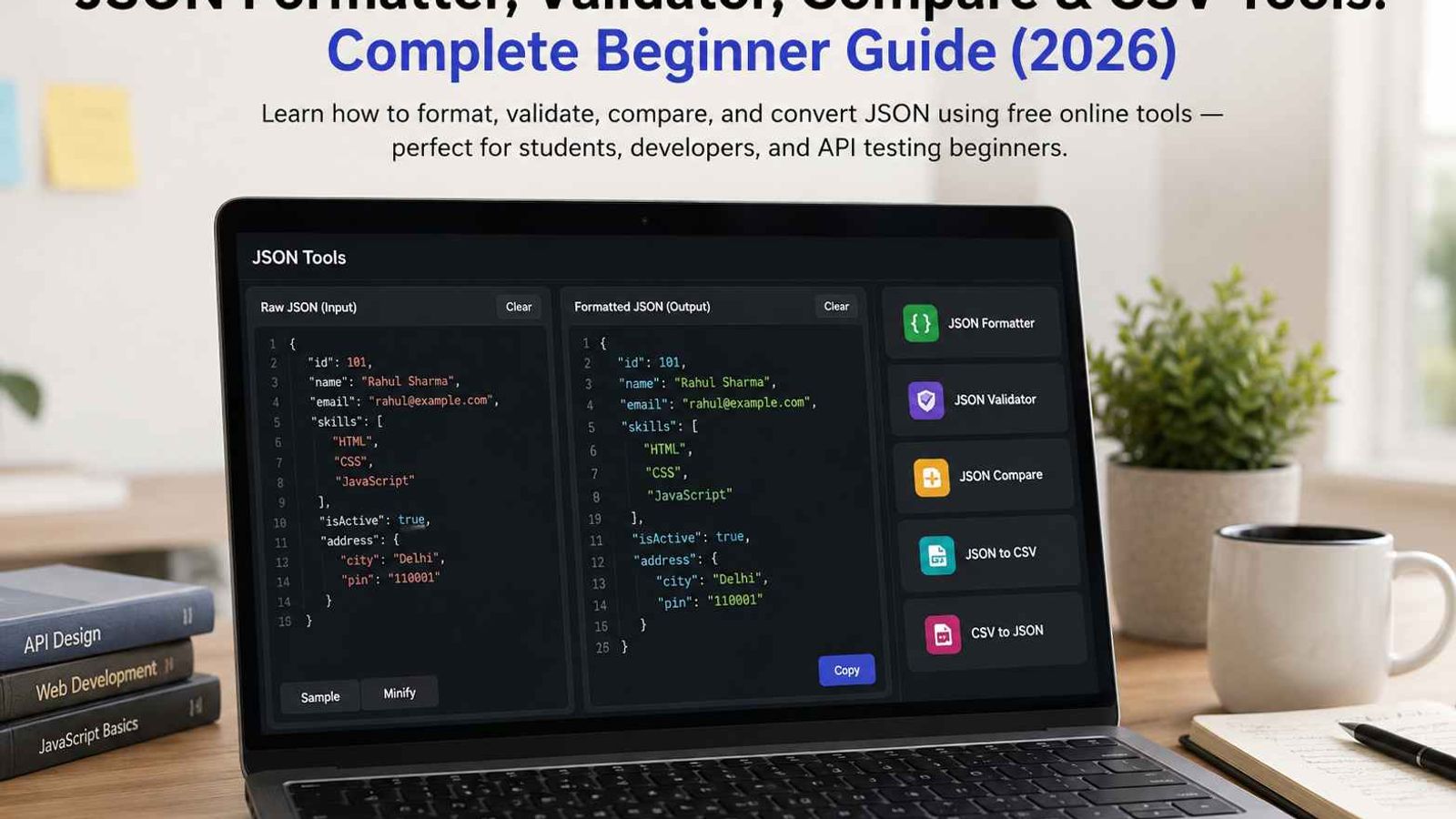
JSON Formatter, Validator, Compare & CSV Tools: Complete Beginner Guide
If you work with websites, JavaScript, or APIs, you will probably come across JSON.
JSON is easy to use when the data is small. But when an API gives you hundreds of lines of data, it can become difficult to read. A small mistake like a missing comma can also stop the JSON from working.
Sometimes you may have two JSON files and want to see what changed. In other cases, you may want to move JSON data into a spreadsheet.
For these situations, a few simple online tools can save a lot of time.
In this guide, we will look at five useful tools:
- JSON Formatter
- JSON Validator
- JSON Compare
- JSON to CSV
- CSV to JSON
You can use these tools directly in your browser without installing software.
What Is JSON?
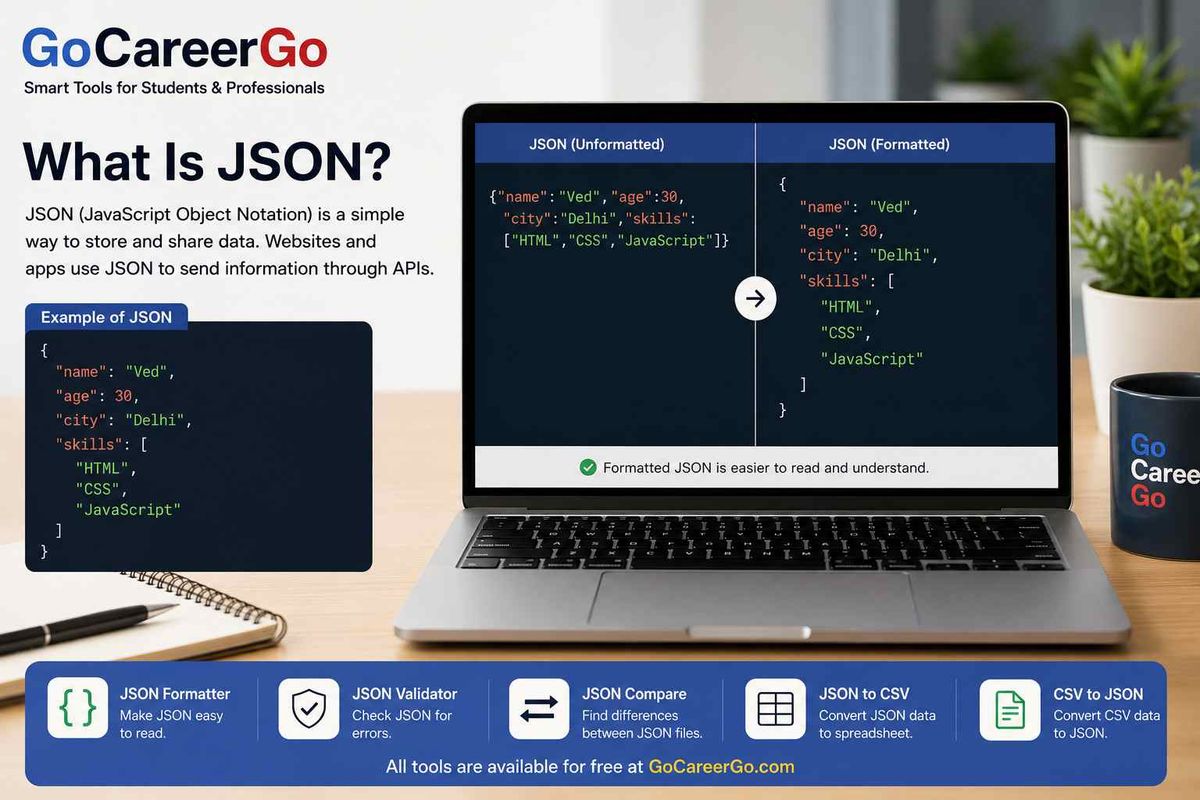
JSON stands for JavaScript Object Notation.
It is a simple way to store and share data. Websites and apps often use JSON to send information through APIs.
Here is a simple example:
{ "name": "Ved", "age": 30, "city": "Delhi", "skills": [ "HTML", "CSS", "JavaScript" ]}
In this example, the person's name is Ved, the age is 30, and the city is Delhi. The skills field contains a list of skills.
JSON can contain much more data than this. You may also see objects inside other objects or lists with many items.
The basic idea, however, stays the same.
If you want to understand JSON more easily, it helps to format it first.
Try the JSON Formatter:
GoCareerGo JSON Formatter
JSON Formatter: Make JSON Easy to Read
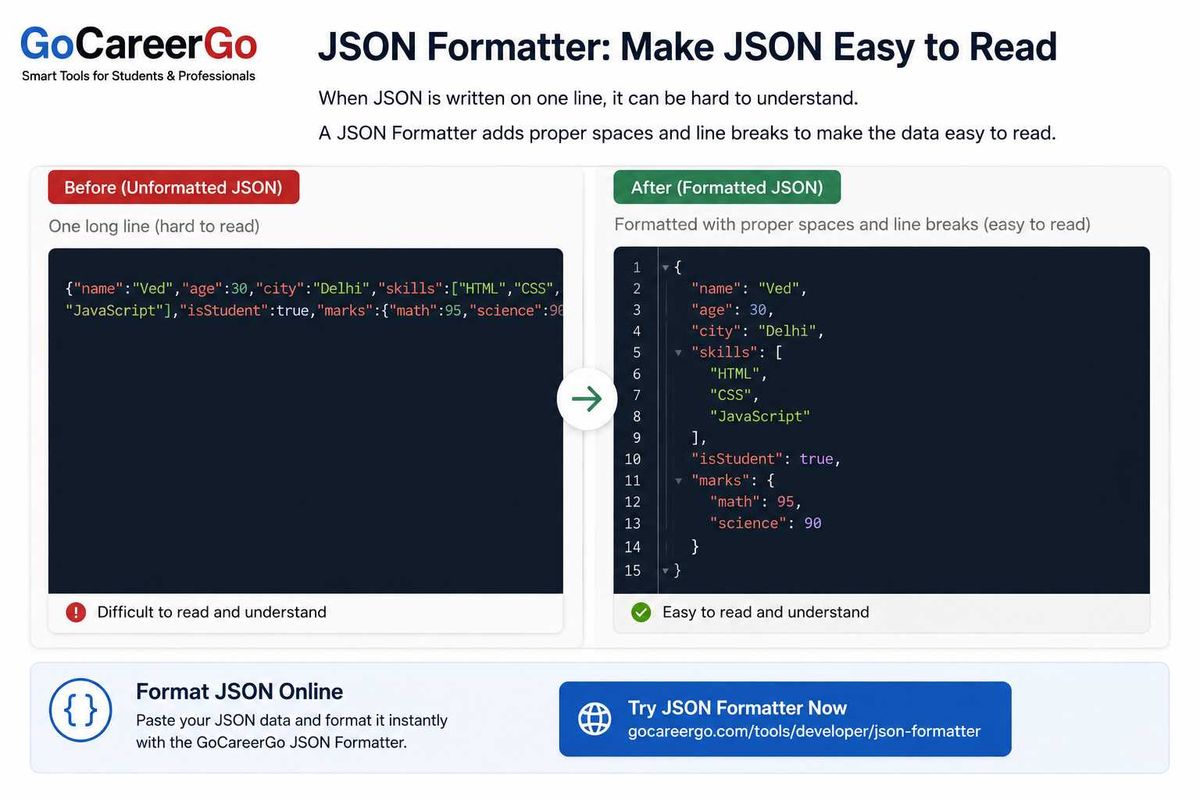
When JSON is written on one line, it can be difficult to understand.
For example, you may get something like this from an API:
{"name":"Ved","age":30,"city":"Delhi","skills":["HTML","CSS","JavaScript"]}
The data is there, but reading it is not very comfortable.
A JSON Formatter adds spaces and line breaks to make the same data easier to follow:
{ "name": "Ved", "age": 30, "city": "Delhi", "skills": [ "HTML", "CSS", "JavaScript" ]}
Nothing important has changed in the data. The formatter has only changed the way it is displayed.
This is especially helpful when you copy a large response from an API. Instead of trying to understand one long line, you can see each part of the JSON clearly.
When should you use a JSON Formatter?
A formatter can be useful when:
- Your JSON is on one long line
- You want to check an API response
- You are learning JavaScript or JSON
- You are debugging a website or application
- You are working with a large JSON file
You don't need to install any software for a quick formatting job.
Format JSON Online
If you have JSON that is difficult to read, try the GoCareerGo JSON Formatter:
JSON Validator: Check JSON for Errors
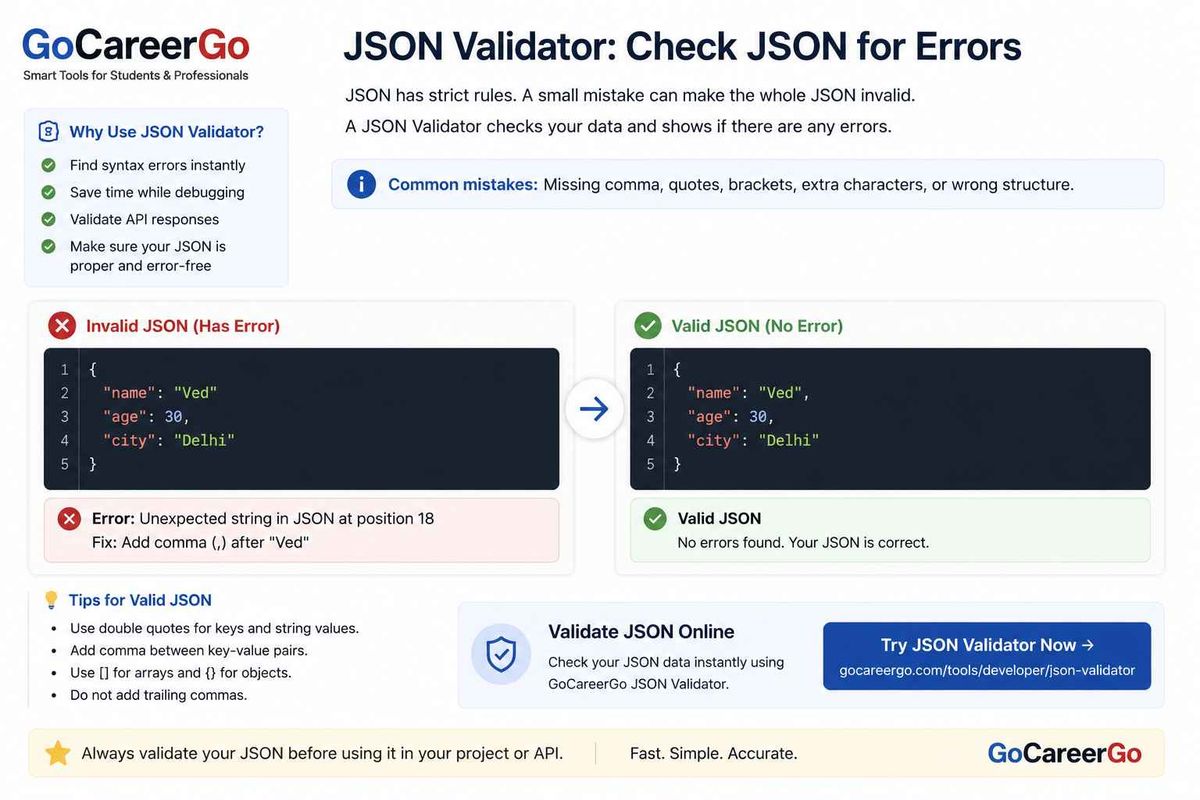
JSON has a few rules that need to be followed.
A small mistake can make the whole JSON invalid.
For example, look at this:
{ "name": "Ved" "age": 30}
Can you see the problem?
There is no comma after "Ved".
The correct version is:
{ "name": "Ved", "age": 30}
When a JSON file has only a few lines, finding this type of mistake is easy.
But imagine checking a JSON response with hundreds of lines. Finding one missing comma or bracket can take much longer.
A JSON Validator checks the structure and syntax of your JSON.
Common JSON problems
You may see errors because of:
- A missing comma
- Missing quotation marks
- Missing brackets
- Extra characters
- Incorrect JSON structure
If an API request is failing because of JSON, checking the data with a validator is a good place to start.
Validate JSON Online
You can check your JSON using the GoCareerGo JSON Validator:
JSON Formatter vs JSON Validator
These two tools are useful for different reasons.
A JSON Formatter makes JSON easier to read.
A JSON Validator checks whether the JSON is written correctly.
For example, you might format your JSON first so you can read it properly. If something is not working, you can then use a validator to check for an error.
So, if your JSON looks messy, start with the formatter.
If you think your JSON has a syntax problem, use the validator.
JSON Compare: Find Differences Between Two JSON Files
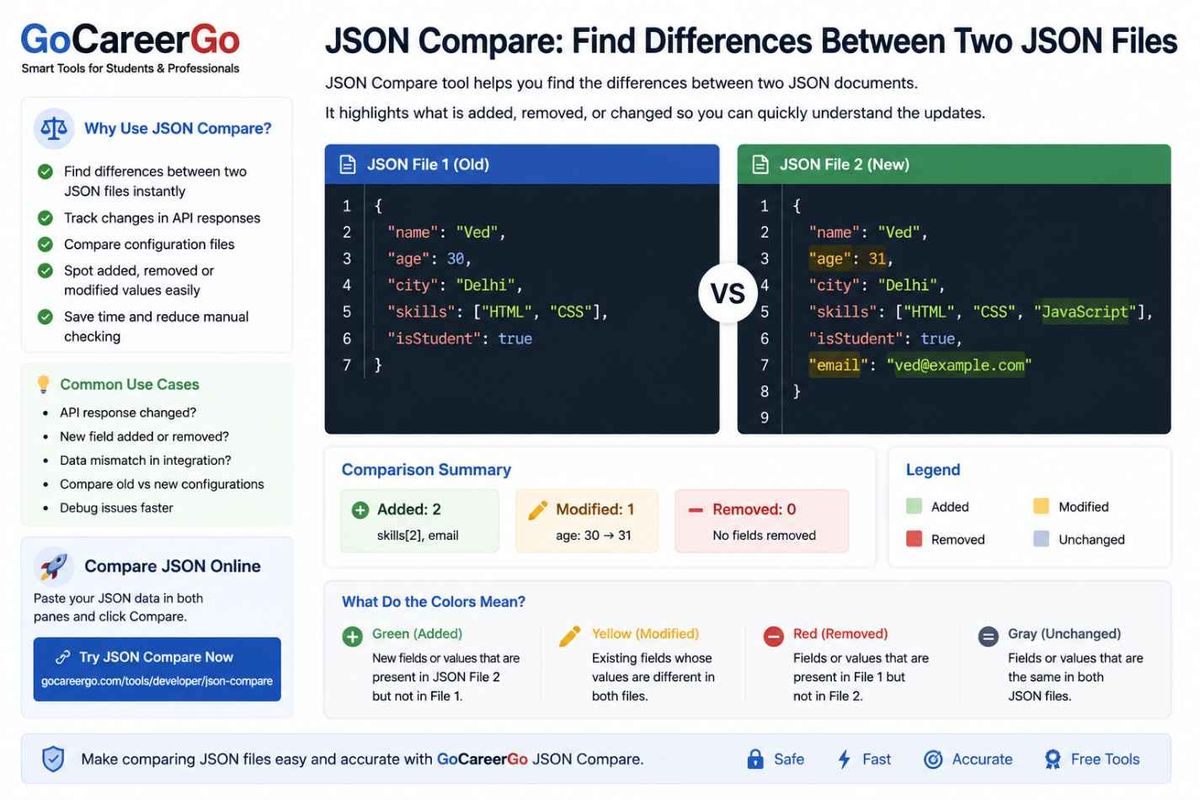
Sometimes you have two JSON files and want to know what changed.
For example, the first JSON file might contain:
{ "name": "Ved", "age": 30}
The second file might contain:
{ "name": "Ved", "age": 31, "city": "Delhi"}
In this example, we can easily see that the age changed from 30 to 31.
We can also see that a new city field was added.
With a small example like this, checking the difference is simple.
But real JSON files can be much larger.
You may have hundreds or even thousands of lines. Checking both files manually can become frustrating.
A JSON Compare tool can help you find these changes more quickly.
When can JSON Compare help?
You can use it when:
- An API response has changed
- You want to compare old and new data
- A value looks different
- A new field has been added
- A field has been removed
- You are checking a configuration file
- You are debugging an application
Compare JSON Online
If you have two JSON files that you want to compare, try the GoCareerGo JSON Compare tool:
Why Convert JSON to CSV?
JSON works very well for websites and applications.
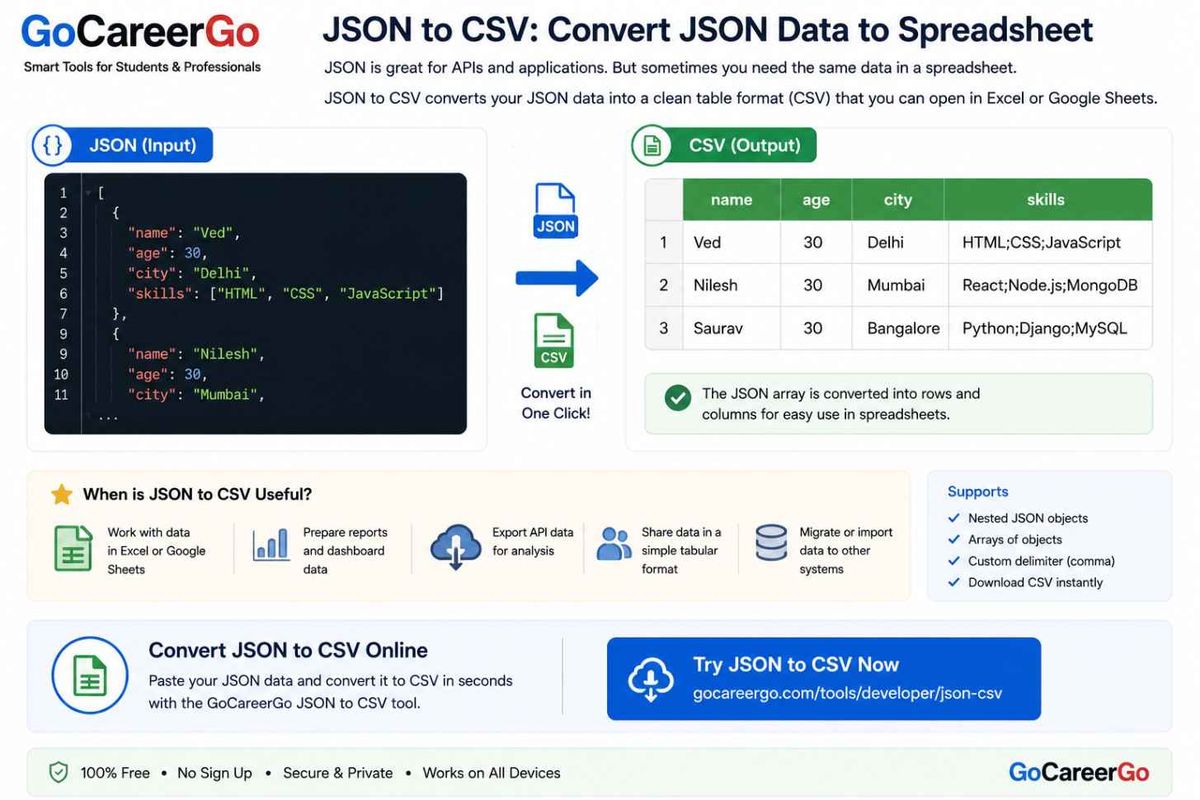
But sometimes you want to work with the same data in a spreadsheet.
For example, you may have this JSON:
[ { "name": "Ved", "age": 30 }, { "name": "Nilesh", "age": 30 }, { "name": "Saurav", "age": 30 }]
The same data can be converted into CSV:
name,ageVed,30Nilesh,30Saurav,30
Now the information is arranged in rows and columns.
This can be easier to work with in a spreadsheet.
When can JSON to CSV help?
You may want to convert JSON to CSV when:
- You want to use the data in a spreadsheet
- You are preparing a report
- You are working with rows and columns
- You want to export API data
- You need to do simple data analysis
Convert JSON to CSV
You can use the GoCareerGo JSON to CSV tool:
CSV to JSON: Convert Spreadsheet Data Into JSON
The reverse situation is also common.
Maybe you already have your data in a spreadsheet:
name,ageVed,30Nilesh,30Saurav,30
But your website or application needs JSON.
You can convert the CSV data into:
[ { "name": "Ved", "age": 30 }, { "name": "Nilesh", "age": 30 }, { "name": "Saurav", "age": 30 }]
For a few rows, you could write this yourself.
But if you have hundreds of rows, doing it manually would take a lot of time.
A CSV to JSON tool can make that job much easier.
When can CSV to JSON help?
It can be useful when:
- Your data is in a spreadsheet
- Your API needs JSON
- You are importing data into a website
- You are working with application data
- You have many rows to convert
Convert CSV to JSON
Try the GoCareerGo CSV to JSON tool:
Which Tool Should You Use?
If you are not sure which tool you need, here is a simple guide:
Make JSON easier to read
Use JSON Formatter
https://gocareergo.com/tools/developer/json-formatter
Check JSON for errors
Use JSON Validator
https://gocareergo.com/tools/developer/json-validator
Find differences between JSON files
Use JSON Compare
https://gocareergo.com/tools/developer/json-compare
Convert JSON into CSV
Use JSON to CSV
https://gocareergo.com/tools/developer/json-csv
Convert CSV into JSON
Use CSV to JSON
https://gocareergo.com/tools/developer/csv-json
A Simple Way to Work With JSON
If you are new to JSON, you don't need to make things complicated.
Start by making the data easier to read.
If your JSON is on one long line, use a formatter.
If something is not working, check the JSON for syntax errors.
If you have two versions of the same JSON, compare them to see what changed.
If you need the data in spreadsheet format, convert JSON to CSV.
And if you already have spreadsheet data but need JSON, convert CSV to JSON.
After using these tools a few times, these tasks become much easier.
Who Can Use These Tools?
You don't need to be an experienced developer to use these tools.
They can be useful for students who are learning JavaScript, beginners working with APIs, web developers, and anyone who needs to work with JSON or CSV data.
If you are learning programming, these tools can also help you understand how JSON is structured.
For example, instead of looking at a large API response and trying to understand everything at once, you can format it first and then look at the data one part at a time.
Frequently Asked Questions
What is JSON?
JSON is a simple format used to store and share data. Websites, applications, and APIs commonly use it.
What does a JSON Formatter do?
A JSON Formatter adds spaces and line breaks to make JSON easier to read.
What does a JSON Validator do?
A JSON Validator checks whether your JSON follows the correct syntax.
What is JSON Compare used for?
JSON Compare helps you find differences between two JSON files or API responses.
Can JSON be converted to CSV?
Yes. JSON data can be converted into CSV so you can work with it as rows and columns.
Can CSV be converted to JSON?
Yes. CSV data can be converted into JSON objects for use in websites, applications, and APIs.
Are JSON tools useful for beginners?
Yes. Beginners can use them while learning JavaScript, APIs, JSON, and web development.
Final Thoughts
Working with JSON is not always difficult.
The confusing part usually comes when the data is very large, there is a small syntax error, or you need to compare two different versions of the same file.
A formatter can make the data easier to read.
A validator can help you find errors.
A compare tool can show you what changed.
And JSON and CSV converters can help you move data from one format to another.
If you work with JSON, you can try the GoCareerGo tools whenever you need them.
GoCareerGo JSON Tools
JSON Formatter
GoCareerGo JSON Formatter
JSON Validator
GoCareerGo JSON Validator
JSON Compare
GoCareerGo JSON Compare
JSON to CSV
GoCareerGo JSON to CSV
CSV to JSON
GoCareerGo CSV to JSON