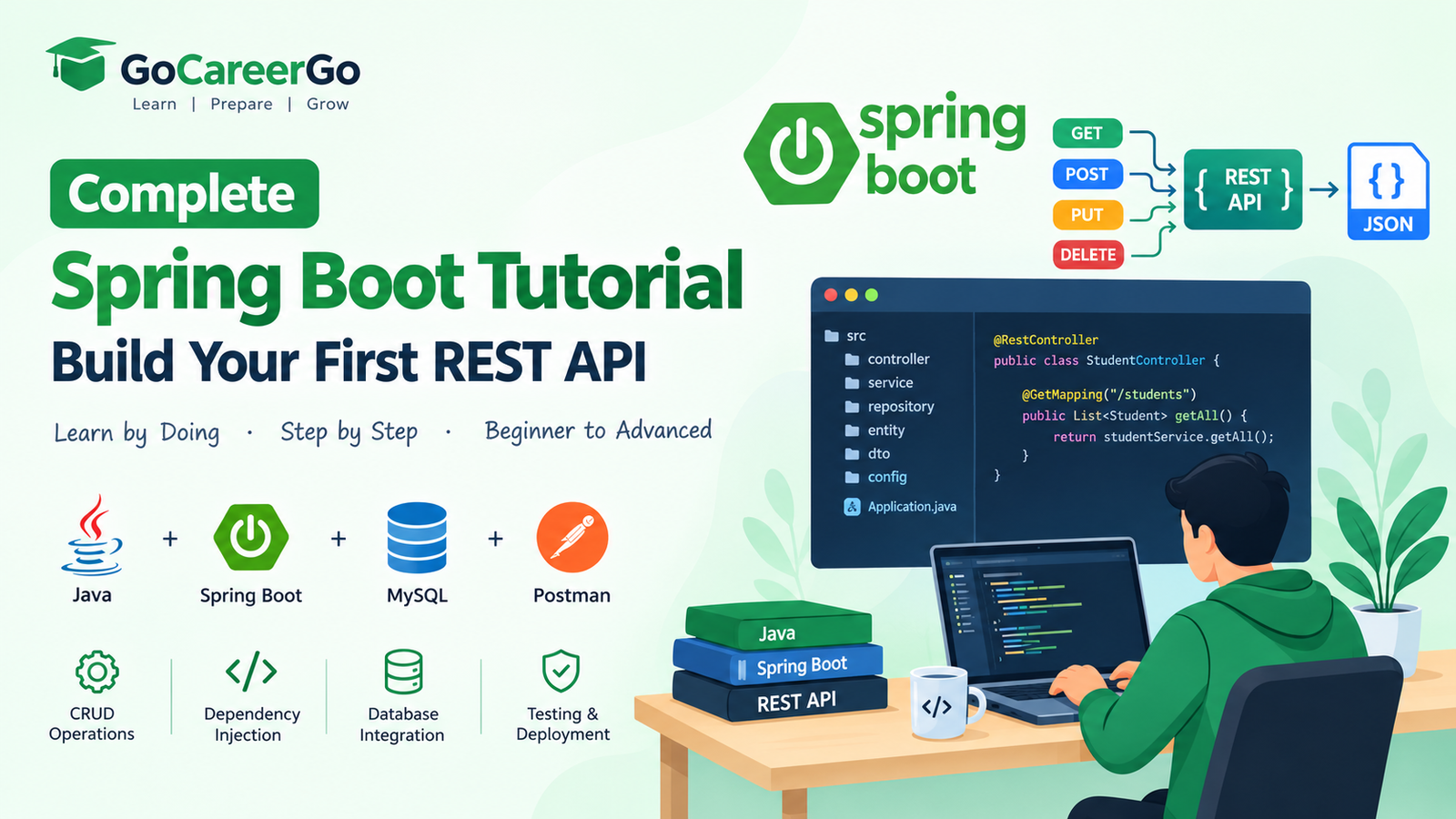
Complete Spring Boot Tutorial: Build Your First REST API
Spring Boot is one of the most popular Java frameworks for building modern web applications and RESTful APIs. It reduces boilerplate code, provides embedded servers, and allows developers to build production-ready applications quickly.
If you're preparing for software developer interviews or planning to become a Java backend developer, learning Spring Boot is one of the best investments you can make.
In this guide, we'll build a simple REST API from scratch.
What is Spring Boot?
Spring Boot is an extension of the Spring Framework that simplifies application development by providing:
- Auto Configuration
- Embedded Tomcat Server
- Starter Dependencies
- Production Ready Features
- Easy REST API Development
- Security Support
- Database Integration
- Microservices Support
Instead of configuring everything manually, Spring Boot follows the convention-over-configuration approach.
Why Learn Spring Boot?
Spring Boot is widely used by startups, product companies, fintech, healthcare, ERP systems, and enterprise applications.
Benefits include:
- High demand in software jobs
- Easy REST API development
- Excellent microservices support
- Strong community
- Large ecosystem
- Faster development
- Cloud-ready applications
Prerequisites
Before starting, you should know:
- Basic Java
- OOP Concepts
- Maven
- JSON
- HTTP Methods
Required Software
Install the following:
- Java 21
- IntelliJ IDEA
- Maven
- Postman
- MySQL
- VS Code (optional)
Create a Spring Boot Project
Go to Spring Initializr and select:
Project:
- Maven
Language:
- Java
Spring Boot:
- Latest Stable Version
Dependencies:
- Spring Web
- Spring Boot DevTools
- Spring Data JPA
- MySQL Driver
- Lombok
Generate and open the project in IntelliJ.
Project Structure
src ├── controller ├── service ├── repository ├── entity ├── dto ├── config └── SpringBootApplication
Keeping the project organized makes it easier to maintain and scale.
Create Your First REST Controller
Example endpoint:
GET /hello
Response
Hello World
A REST Controller handles incoming HTTP requests and returns responses.
Understanding HTTP Methods
GET
Retrieve data.
Example:
GET /students
POST
Create new data.
Example:
POST /students
PUT
Update existing data.
Example:
PUT /students/1
DELETE
Delete data.
Example:
DELETE /students/1
REST API CRUD Example
Let's imagine we're building a Student Management API.
Operations:
- Create Student
- Get Student
- Update Student
- Delete Student
- List All Students
These operations form the basis of most backend applications.
Connect MySQL Database
Configure your database connection in the application configuration.
Typical settings include:
- Database URL
- Username
- Password
- Hibernate Configuration
Spring Boot automatically creates connections and manages database interactions using Spring Data JPA.
Entity Layer
An Entity represents a database table.
Example:
Student
Fields:
- id
- name
- course
Spring Boot maps Java objects directly to database tables using JPA.
Repository Layer
Repositories communicate with the database.
Instead of writing SQL manually, Spring Data JPA provides built-in methods for:
- Save
- Update
- Delete
- Find All
- Find By ID
This significantly reduces development time.
Service Layer
Business logic should always remain inside the Service layer.
Responsibilities include:
- Validation
- Business rules
- Data processing
- Calling repositories
Keeping business logic separate improves maintainability.
Controller Layer
The Controller exposes REST endpoints to clients.
Example responsibilities:
- Accept HTTP requests
- Validate input
- Call Service methods
- Return JSON responses
Testing APIs with Postman
Once the application is running, test each endpoint using Postman.
Verify:
- GET requests
- POST requests
- PUT requests
- DELETE requests
Testing ensures your API behaves as expected.
Exception Handling
A professional API should return meaningful error messages.
Handle situations like:
- Resource not found
- Invalid input
- Internal server errors
Proper exception handling improves the developer experience.
Dependency Injection
Spring Boot uses Dependency Injection (DI) to manage object creation.
Benefits:
- Loose coupling
- Better testing
- Cleaner architecture
- Easier maintenance
Spring Boot Annotations You Should Know
Common annotations include:
- @SpringBootApplication
- @RestController
- @RequestMapping
- @GetMapping
- @PostMapping
- @PutMapping
- @DeleteMapping
- @Autowired
- @Service
- @Repository
- @Entity
Understanding these annotations is essential for Spring Boot development.
Best Practices
- Use layered architecture
- Keep controllers lightweight
- Write reusable services
- Validate request data
- Handle exceptions globally
- Use DTOs instead of exposing entities
- Write unit tests
- Use environment variables for configuration
- Follow RESTful naming conventions
- Document APIs with Swagger/OpenAPI
Interview Questions
What is Spring Boot?
Spring Boot is a framework that simplifies Spring application development using auto-configuration and embedded servers.
Difference Between Spring and Spring Boot?
Spring requires manual configuration, while Spring Boot minimizes configuration and enables faster development.
What is Dependency Injection?
Dependency Injection is a design pattern where Spring manages object creation and dependency wiring automatically.
What is REST API?
A REST API is a web service that allows applications to communicate over HTTP using standard methods like GET, POST, PUT, and DELETE.
Why Use Spring Boot?
Because it enables faster development, simplifies configuration, and is ideal for creating scalable enterprise applications.
Common Beginner Mistakes
- Mixing business logic inside controllers
- Ignoring validation
- Hardcoding database credentials
- Not handling exceptions
- Exposing entities directly
- Not testing APIs
- Poor package structure
Avoiding these mistakes will help you build maintainable applications.
Next Steps
After mastering basic REST APIs, continue learning:
- Spring Security
- JWT Authentication
- Spring Data JPA
- Hibernate
- Docker
- Microservices
- Kafka
- Redis
- RabbitMQ
- Kubernetes
- AWS Deployment
These technologies are commonly used in modern backend development.
Conclusion
Spring Boot is one of the most valuable skills for Java developers. Whether you're preparing for interviews, building enterprise applications, or creating scalable microservices, mastering Spring Boot gives you a strong foundation in backend development.
Start with simple REST APIs, practice CRUD operations, connect a database, and gradually explore advanced topics like security, microservices, and cloud deployment.
Continue learning, build real-world projects, and keep improving your backend development skills.