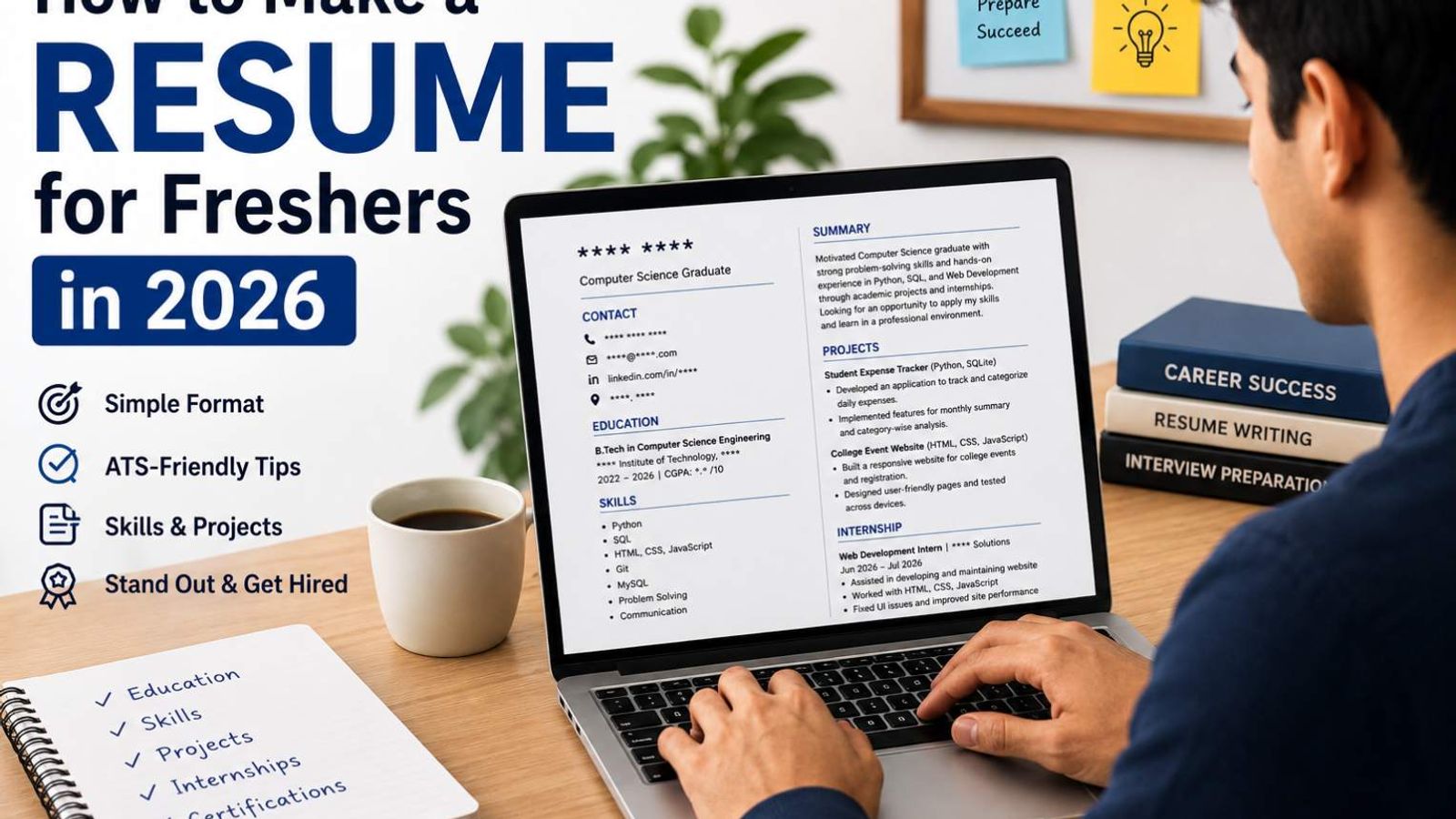
How to Make a Resume for Freshers in 2026
Writing your first resume can feel confusing, especially when you do not have any full-time work experience. Many freshers look at job descriptions and think, “I don't have enough experience to apply.”
You probably have more to write about than you think.
Your education, college projects, internships, certifications, technical skills, achievements, and relevant college activities can all help you build a strong resume. The key is to present them clearly and focus on what is relevant to the job you want.
This guide explains how to make a resume for freshers in 2026, what to include, what to leave out, and how to create a simple resume that recruiters can understand quickly.
You will also find a practical fresher resume format, examples, ATS-friendly tips, common mistakes, and a sample resume structure you can follow.
What Is a Resume?
A resume is a short document that gives an employer an overview of your education, skills, projects, experience, and achievements.
For an experienced professional, the experience section often gets the most attention. For a fresher, the focus is different.
Your resume should show:
- What you studied
- What role you are looking for
- What skills you have
- What projects you have worked on
- Whether you have completed an internship
- What certifications you have earned
- What achievements or activities demonstrate your abilities
A good resume is not a complete record of everything you have done. It should contain the information that helps an employer understand whether you are suitable for the role.
What Should a Fresher Include in a Resume?
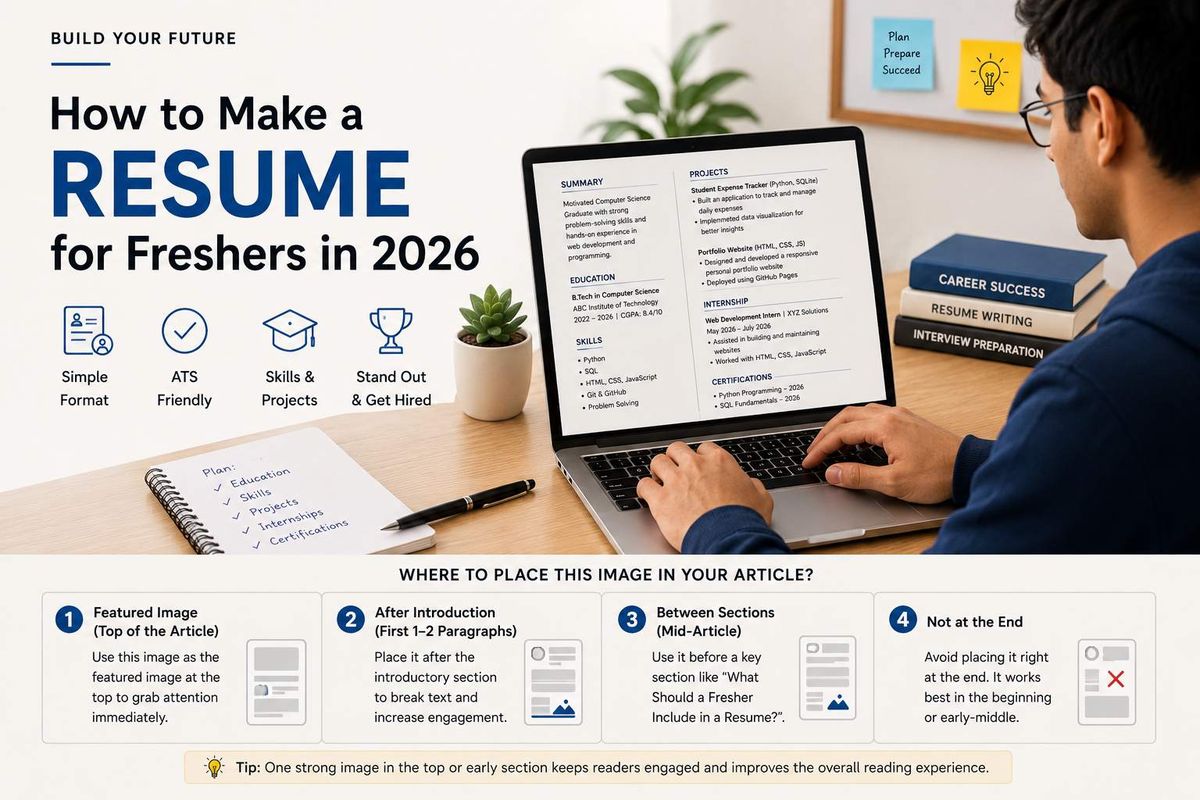
A simple resume for freshers can contain the following sections:
Section
What to Include
Contact Information
Name, phone number, professional email, LinkedIn
Resume Headline
Target role or professional profile
Summary / Objective
Short introduction and career direction
Education
Degree, college, year, CGPA or percentage
Skills
Relevant technical and soft skills
Projects
Academic, personal, or final-year projects
Internships
Company, role, dates, and work completed
Certifications
Relevant courses and certifications
Achievements
Awards, competitions, leadership, etc.
Extra Activities
Clubs, volunteering, college responsibilities
You do not need every section if you do not have something useful to put there.
For example, if you have never done an internship, don't create an empty internship section. Use your projects, certifications, and practical work to strengthen the resume instead.
Best Resume Format for Freshers
For most students and recent graduates, a simple reverse-chronological format works well. Put your most recent and relevant information first.
A practical resume format for freshers can look like this:
- Name and contact details
- Resume headline
- Summary or objective
- Education
- Skills
- Projects
- Internships
- Certifications
- Achievements and activities
You can change the order depending on your background.
For example, if you completed a good internship related to the job you are applying for, it can be placed before projects.
Keep the Design Simple
Your resume does not need to look like a poster.
Use a clean layout, readable font, clear headings, consistent spacing, and enough white space. Avoid filling every empty area with graphics or decorative elements.
The goal is to make the important information easy to find.
A simple resume often works better than a complicated one.
How to Write a Resume Headline
Your resume headline is a short line that tells the recruiter who you are and what you can offer.
Avoid writing only:
Fresher
That does not tell the recruiter anything useful.
Instead, mention your field, target role, or relevant skills.
Examples
Computer Science Graduate
B.Tech Computer Science Graduate | Python | SQL | Web Development
Commerce Graduate
B.Com Graduate | Accounting | MS Excel | Financial Reporting
Marketing Fresher
MBA Marketing Fresher | Digital Marketing | SEO | Content Creation
Data Analytics Aspirant
Computer Science Graduate | Excel | SQL | Power BI | Data Analysis
Choose skills that you actually know. Do not add technologies just because they appear in the job description.
How to Write a Fresher Resume Summary or Objective
The summary or objective is usually two to four lines long.
It should answer a simple question:
What kind of candidate are you, and what are you looking for?
Avoid generic statements like:
I am a hardworking and dedicated person looking for an opportunity in a reputed company where I can grow and learn new things.
This could describe almost anyone.
A better approach is to mention your education, relevant skills, practical work, and target role.
Example for a Software Fresher
Recent B.Tech Computer Science graduate with practical experience in Python, SQL, and web development through academic and personal projects. Looking for an entry-level software development role where I can apply my technical skills and continue building real-world experience.
Example for a Commerce Graduate
B.Com graduate with knowledge of accounting, MS Excel, and financial reporting. Completed an academic project on small-business cash-flow management and seeking an entry-level accounting opportunity.
Keep the summary specific. There is no need to make it sound overly formal.
How to List Education
For freshers, education is an important part of the resume because you may not have much professional experience yet.
Start with your latest qualification.
Include:
- Degree or course
- College or university
- Graduation year
- CGPA or percentage, when useful
- Relevant coursework, if it helps your application
Example
B.Tech in Computer Science Engineering
ABC Institute of Technology, Pune
2022–2026 | CGPA: 8.4/10
Class XII – CBSE
XYZ Senior Secondary School, Jaipur
2022 | 86%
Once you have completed your degree, you usually do not need to give your school education the same amount of space.
If you are still studying, make that clear.
For example:
B.Tech in Computer Science Engineering — Expected Graduation: 2027
How to List Skills
Your skills section should be connected to the job you are applying for.
Do not create a huge list just to make your resume look impressive.
For a software role, you might write:
Technical Skills
- Python
- Java
- SQL
- HTML
- CSS
- JavaScript
- Git
- MySQL
Soft Skills
- Communication
- Problem-solving
- Teamwork
- Time management
However, simply listing skills is not enough.
Try to show how you used them.
For example, instead of only writing:
Python
you can show it through a project:
Built a student expense tracker using Python and SQLite.
That gives the recruiter evidence that you actually used the skill.
How to Add Projects
Projects are one of the best ways to improve a fresher resume, especially when you have no full-time work experience.
You can include:
- College projects
- Final-year projects
- Personal projects
- Hackathon projects
- Open-source contributions
- Practical academic assignments
For every useful project, try to mention:
- Project name
- Technologies used
- What you built
- What you personally worked on
- Result or practical use, if available
Example: Student Expense Tracker
Student Expense Tracker
Python, SQLite
- Developed an application for recording and categorizing daily expenses.
- Added monthly expense summaries and category-based tracking.
- Used SQLite to store and manage expense data.
Example: Web Development Project
College Event Management Website
HTML, CSS, JavaScript
- Built a responsive website for displaying college events.
- Created event registration forms and category-based navigation.
- Tested the website on desktop and mobile screen sizes.
Compare this with:
Made a website as a college project.
The second version gives the recruiter almost no useful information.
How to Add Internships
If you have completed an internship, include it even if it was short.
Mention:
- Company name
- Internship title
- Dates
- Main tasks
- Tools used
- Results or outcomes when available
Example
Digital Marketing Intern — XYZ Media
May 2026 – July 2026
- Assisted with keyword research and basic on-page SEO tasks.
- Created social media content for LinkedIn and Instagram.
- Prepared weekly reports using Excel.
- Supported blog content planning for the company website.
Be honest about your role. You should be comfortable explaining everything written on your resume during an interview.
How to Add Certifications
Certifications can help show that you have studied skills outside your college curriculum.
Useful certifications can include:
- Python
- SQL
- Data Analytics
- Digital Marketing
- Excel
- Cloud Computing
- UI/UX
- Accounting
- Communication
Example
Python Programming Certificate — 2026
SQL Fundamentals — 2026
Advanced Excel Course — 2026
Do not add every certificate you have collected.
If you are applying for a data analyst role, a relevant SQL or Excel certification is more useful than an unrelated course.
How to Mention Achievements
Many students think only major national awards count as achievements. That is not true.
Relevant achievements can include:
- Academic awards
- Hackathon participation or wins
- Coding competitions
- Scholarships
- Presentation competitions
- Debate competitions
- Sports achievements
- Leadership positions
- College event responsibilities
- Relevant volunteering
Example
Achievements
- Finalist in a college-level hackathon with a student productivity app.
- Secured first place in an inter-college presentation competition.
- Served as event coordinator for the annual technical festival.
Choose achievements that demonstrate useful qualities or skills.
What If You Have No Work Experience?
This is one of the most common questions from freshers.
The answer is simple: do not invent experience.
You can create a solid resume without a full-time job by using other forms of relevant experience.
For example:
Instead of Work Experience, Show
Projects
Built a portfolio website using HTML, CSS, and JavaScript.
Internships
Assisted a digital marketing team with keyword research and content planning.
Certifications
Completed a SQL fundamentals course.
College Activities
Managed registrations and social media promotion for a college technical event.
Achievements
Reached the final round of an inter-college coding competition.
All of these can help demonstrate what you know and what you have done.
A fresher resume should not apologise for being a fresher. It should give the recruiter a clear picture of your current skills and potential.
How to Make an ATS-Friendly Resume
An ATS-friendly resume uses a simple structure that is easy to read for both recruiters and software systems.
There is no need to make your resume complicated.
Use Standard Section Headings
Use familiar headings such as:
- Education
- Skills
- Projects
- Experience
- Internships
- Certifications
- Achievements
Use Relevant Keywords Naturally
Read the job description carefully.
Suppose the job description asks for:
Excel, SQL, Power BI
If you genuinely know those tools, mention them in your skills or project sections.
Do not copy the entire job description into your resume.
Avoid Overly Complicated Designs
Heavy graphics, excessive icons, decorative text, and complicated layouts can make the document harder to read.
A clean, text-focused resume is usually a safer choice.
Do Not Put Important Information Inside Images
Your name, education, skills, projects, and contact details should be normal text.
Check Your Spelling
A small spelling mistake in a technology name can make the resume look careless.
Check names such as:
- JavaScript
- PostgreSQL
- Power BI
- GitHub
- Microsoft Excel
before sending your application.
Follow the Employer's File Instructions
If the application asks for a PDF, send a PDF. If another format is specifically requested, follow those instructions.
Create Your Resume with GoCareerGo
Creating a resume from a blank document can take time, especially when you are applying for several jobs.
GoCareerGo's free Resume Builder can help you organize your information into a professional resume without starting from scratch.
You can add your education, skills, projects, internships, and other details and create a resume that is ready for job applications.
Create Your Free Resume with GoCareerGo
Fresher Resume Example
Here is a simple example of what a fresher CV could look like.
Ved
Pune, Maharashtra
+91-XXXXXXXXXX | ved@email.com | linkedin.com/in/vedpal
B.Tech Computer Science Graduate | Python | SQL | Web Development
Summary
Recent B.Tech Computer Science graduate with practical experience in Python, SQL, and web development through academic and personal projects. Interested in entry-level software development and web development opportunities.
Education
B.Tech in Computer Science Engineering
ABC Institute of Technology, Pune
2022–2026 | CGPA: 8.4/10
Technical Skills
Python, SQL, HTML, CSS, JavaScript, Git, MySQL
Projects
Student Expense Tracker
Python, SQLite
- Developed an application for recording and categorizing personal expenses.
- Added monthly summaries and category-wise tracking.
- Designed the database using SQLite.
College Event Website
HTML, CSS, JavaScript
- Built a responsive website for displaying college events.
- Added registration forms and event categories.
- Tested the website across desktop and mobile screen sizes.
Internship
Web Development Intern — XYZ Solutions
June 2026 – July 2026
- Assisted with website updates and front-end development tasks.
- Worked with HTML, CSS, and JavaScript.
- Fixed basic UI issues and tested website pages.
Certifications
- Python Programming Certificate — 2026
- SQL Fundamentals — 2026
Achievements
- Finalist in college-level coding hackathon.
- Technical event coordinator for annual college festival.
This is a simple structure, but it gives the recruiter enough information to understand the candidate without adding unnecessary content.
Simple Fresher Resume Template
You can use the following structure when creating your own resume:
YOUR NAME
City, State | Phone | Professional Email | LinkedIn
RESUME HEADLINE
Target role + relevant skills
SUMMARY / OBJECTIVE
Write 2–4 lines about your education, relevant skills, projects, and career direction.
EDUCATION
Degree | College | Graduation Year | CGPA/Percentage
SKILLS
Technical skills relevant to the role
Soft skills, when relevant
PROJECTS
Project Name | Technologies Used
- What you built
- What you worked on
- Result or practical use
INTERNSHIPS
Company | Role | Dates
- Responsibility
- Task
- Outcome
CERTIFICATIONS
Certification | Provider | Year
ACHIEVEMENTS
Awards, competitions, leadership, or relevant activities
You can remove any section that does not add value to your application.
Common Resume Mistakes Freshers Should Avoid
1. Using the Same Resume for Every Job
A software developer resume should not look exactly like a marketing resume.
Change the headline, summary, skills, and project focus according to the role.
2. Adding Skills You Do Not Know
Do not add Python, Java, AWS, or any other skill only because you saw it in a vacancy.
You may be asked questions about those skills during an interview.
3. Writing Huge Paragraphs
Recruiters should be able to scan your resume easily.
Use short bullet points instead of large blocks of text.
4. Using an Unprofessional Email Address
An email such as:
coolboy123@gmail.com
does not create a strong first impression.
Use a simple professional email based on your name.
5. Adding Too Much Personal Information
Your resume does not need every personal detail.
Usually, your name, city, phone number, professional email, and relevant professional links are enough unless an application specifically asks for something else.
6. Using Too Many Graphics
A colourful or highly designed template may look attractive, but the content should remain the priority.
7. Making Projects Sound Too Vague
Instead of:
Worked on a college project.
write:
Developed a student expense tracker using Python and SQLite to record and categorize daily expenses.
8. Sending the Resume Without Checking It
Before applying, check:
- Company name
- Job title
- Dates
- Contact details
- Spelling
- Skills
- File name
One small mistake can make an otherwise good application look careless.
Resume Tips for Freshers in 2026
Focus on what you can show
Instead of saying that you are hardworking or passionate, give evidence.
Projects, internships, competitions, certifications, and leadership activities can demonstrate those qualities naturally.
Tailor the resume to the role
Before applying, read the job description and identify the most relevant skills.
Then make sure your resume reflects the skills and experience you genuinely have.
Keep your LinkedIn profile updated
Your resume and LinkedIn profile should not tell completely different stories.
Keep major details such as education, internship dates, and role titles consistent.
Keep a master copy of your resume
Maintain one detailed resume containing all your projects, courses, skills, and achievements.
Then create a shorter, job-specific version for each application.
Update your resume regularly
Add new projects and certificates as you complete them.
Do not wait until your college placement season starts.
Check the resume before every application
Before clicking “Apply,” make sure the resume is:
- Relevant to the job
- Up to date
- Free of spelling mistakes
- Correctly formatted
- Saved with a professional file name
For example:
Ved_Resume.pdf
is much better than:
resume_final_latest_new2.pdf
Frequently Asked Questions
1. How long should a fresher resume be?
For many freshers, one page is enough when the information is focused and relevant. There is no need to make the resume longer just to fill space.
2. Should freshers add a photo to their resume?
Only add a photo when the employer or application specifically asks for one. Otherwise, use the space for useful information such as projects, skills, or achievements.
3. Can I make a resume without internship experience?
Yes. You can use academic projects, personal projects, certifications, skills, competitions, and relevant college activities to build your resume.
4. What should I write if I have no work experience?
Do not write fake experience.
Focus on projects, internships, education, certifications, skills, achievements, volunteering, and college responsibilities that are relevant to the job.
5. Should I write “Fresher” in my resume?
You can mention that you are a recent graduate or entry-level candidate in your headline or summary. You do not have to make “Fresher” your entire headline.
6. Is an ATS-friendly resume important for freshers?
A clean, text-based resume is a sensible choice because it is easier to read and process. More importantly, the information should be accurate and relevant to the position.
7. Should I include my CGPA or percentage?
Include it when it is useful or when the employer asks for academic details. If a job specifically mentions a minimum percentage or CGPA, make sure your resume clearly shows the relevant information.
8. Can I use the same resume for every company?
You can keep the same basic structure and information, but tailoring the headline, summary, skills, and project descriptions for each role can make your application more relevant.
Need a Professional CV Instead?
A CV can be useful when you want to present more details about your education, projects, certifications, skills, and achievements.
GoCareerGo also lets you create a professional CV for freshers without starting from scratch.
Create Your CV with GoCareerGo
Final Resume Checklist for Freshers
Before submitting your resume, make sure:
- Your phone number is correct
- Your email address is professional
- Your target role is clear
- Your latest education is included
- Relevant skills are listed
- Projects are described clearly
- Internships are included when relevant
- Certifications are relevant
- Achievements are useful and honest
- The resume is easy to scan
- There are no spelling mistakes
- The file follows the employer's requested format
Conclusion
A good fresher resume does not need years of work experience behind it.
It needs a clear picture of what you have learned, what you can do, and how you have applied those skills. Your college projects, internships, certifications, achievements, and technical skills can all help you create a strong resume for your first job.
Start with a clean fresher resume format, keep the information relevant to the role, avoid exaggerating your experience, and update your resume as you build new skills.
When you are ready to create your resume, use the GoCareerGo Resume Builder to turn your education, skills, and projects into a professional, job-ready resume.