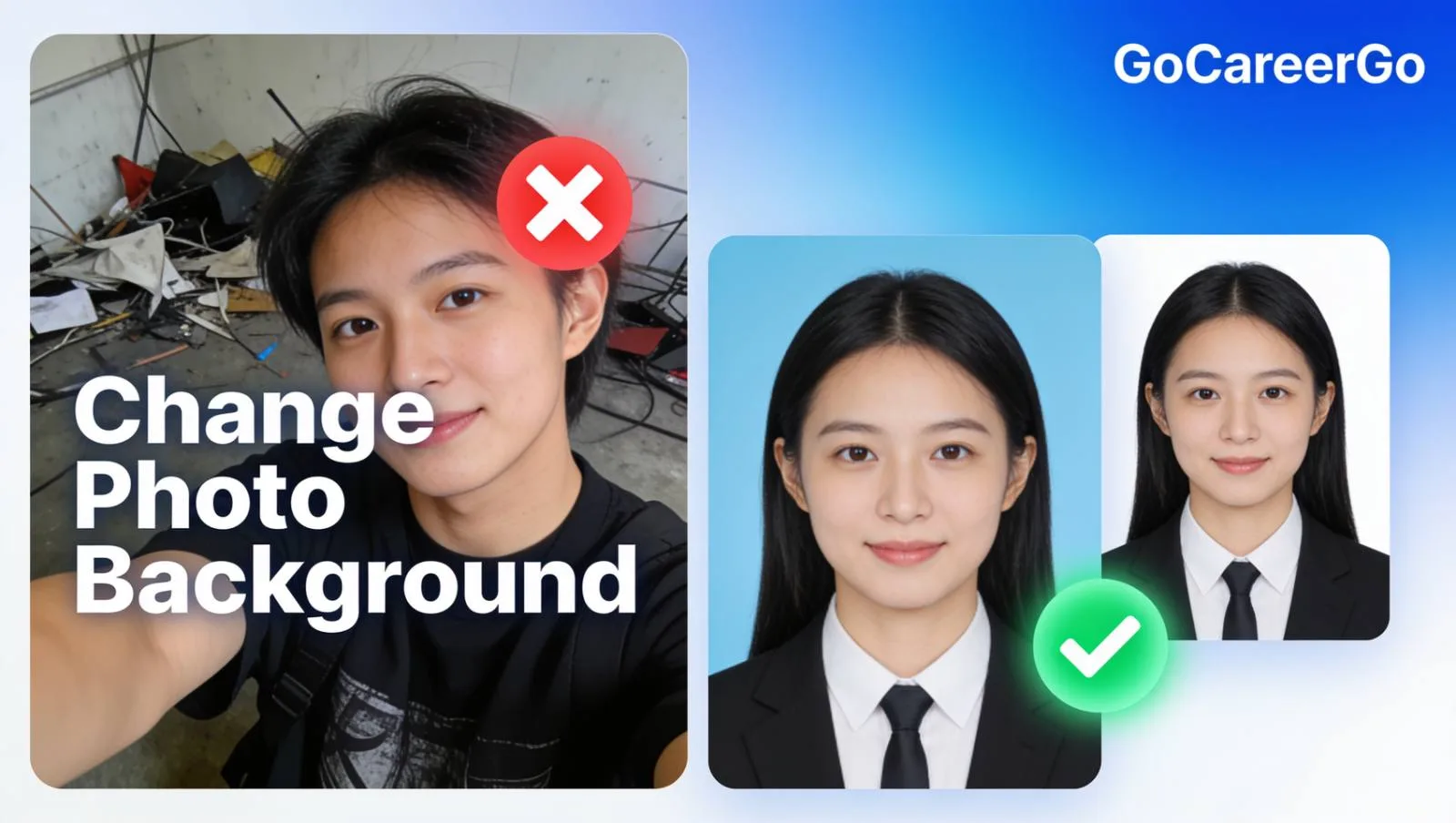
Sarkari naukri (SSC, UPSC, Railway) ka form bharte waqt ek aam problem sabko aati hai—"Photo with white or light blue background only!" Agar aapke paas aisi photo nahi hai, toh cyber cafe jana padta hai ya Photoshop me ghanto mehnat karni padti hai. Galat background ki wajah se kai baar form reject bhi ho jate hain. Lekin ab tension lene ki koi zaroorat nahi hai! GoCareerGo Image Background Changer ek 100% free AI tool hai jo sirf 1 click me aapki photo ka background remove kar deta hai aur aap usme apna pasandida color (White, Blue, Red) add kar sakte hain.
💡 Career Hack:
Ek normal selfie ko professional passport size photo banayein! Bas background remove karein, white color select karein aur apne Resume, LinkedIn profile, ya Sarkari form me use karein.
🚀 Background Changer Tool Kyon Best Hai?
✂️ 1-Click Background Removal
Advance AI technology ki madad se aapki photo ka background seconds me bilkul perfectly remove ho jata hai.
🎨 Add Custom Colors
Government form ki requirement ke hisaab se White, Light Blue ya koi aur solid color background easily set karein.
🔒 100% Safe & Secure
Aapki photos hamare server par save nahi hoti. Processing ke turant baad data automatically delete ho jata hai.
🆓 No Sign-up & Totally Free
Bina koi account banaye aur bina paise diye, unlimited images edit karein. HD quality me direct download karein.
🛠️ Photo Ka Background Kaise Change Karein?
- Hamari website par Image Background Changer tool open karein.
- Apni normal photo upload karein jiska background hatana hai.
- Tool automatically background remove kar dega. Naya background color (jaise White) select karein.
- 'Download' par click karein aur perfect passport photo apne mobile ya PC me save karein!
Sarkari Form Me Photo Reject Hone Se Bachayein!
Ghar baithe apni selfie ko professional passport size photo me convert karein. Aaj hi apna background change karein.
👉 Change Background Now